

In this lesson, we show you how to filter calls in the different tables or lists in TowSoft back office and TS4.
Objectives of the lesson :
- Know where the filters are located
- Know how to use them
Why add call filters?
Not all of our clients have to juggle the same amount of work, but for those who execute tons of calls per day, it can sometimes become difficult to find a certain type of call and schedule the work according to the availability of your staff.
This is the reason why we have added filters for the call tables in TowSoft back office and in the call lists in TS4.
It’s up to you to see if it can be useful to you!
How to filter the calls?
Whether you are in the “Standby”, “Ongoing” or “To validate” call table in TowSoft on desktop, you will see the “Filters” button in the upper right corner of the table.

After clicking on this button, you will have access to a multitude of parameters for which you can filter the calls.
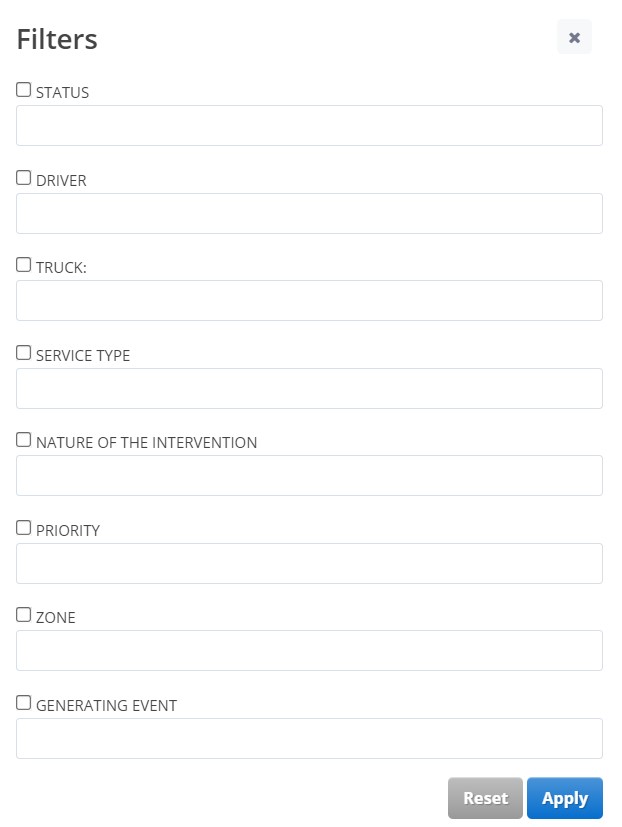
You can then filter by one or more of these parameters in two different ways:
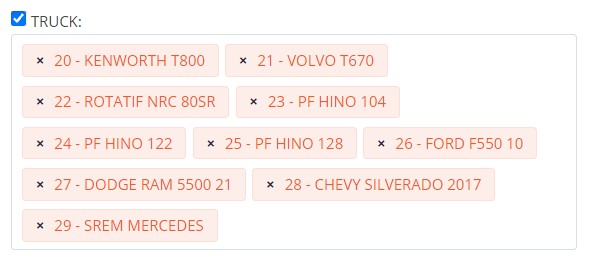
Filter by elimination
You check the box for the parameter in question to reveal all the possible options, then you eliminate those that are not to be included in the filter by using the small “X” to the left of each one.
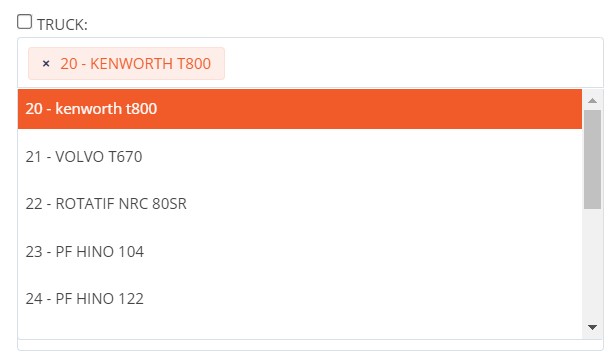
Filter by selection
You place your cursor in the parameter field, then you add only the options to filter.
And how does it work in TS4?
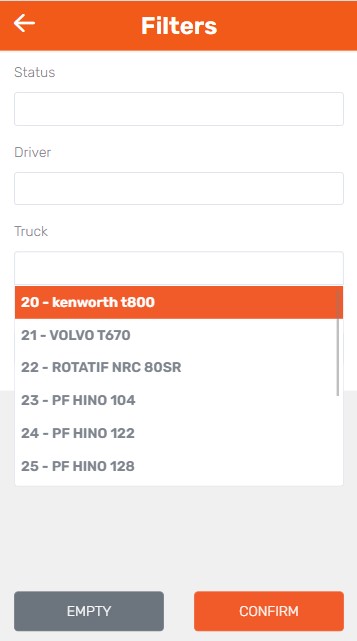
Basically, the way the filters work is pretty much the same in TS4. However, note that the button is slightly different (see below).

In addition, only the filtering by selection option is available.
List of comments